
Best Tools for QA Testers to Fill Forms Faster (2026)
Published on April 20, 2026 - 5 min read
Filling forms is a repetitive but unavoidable part of QA testing.
Whether you're testing validation, edge cases, or multi-step workflows, you’ve probably found yourself typing or copying the same data over and over again.
In this guide, we’ll look at the best tools QA testers can use to fill forms faster, reduce manual work, and improve testing efficiency.
🤔 Why Form Filling Slows Down QA Testing
QA testers often deal with:
- Repeating the same test data across multiple environments
- Testing complex forms with dropdowns, validations, and dynamic fields
- Copying values between staging, production, and internal tools
- Re-entering data for regression testing
- Creating bug reports or QA tickets
Browser built-in autofill might seem like a solution — but in reality, it often fails on modern forms.
👁️ What to Look for in a Form-Filling Tool
A good tool for QA form testing should:
- Work on dynamic and complex forms
- Support multiple field types (dropdowns, multi-selects, etc.)
- Allow you to reuse structured or custom test data
- Work across different websites and environments
- Be fast enough for repeated form-filling
🧩 Best Tools for QA Testers to Fill Forms Faster
1. 🐱 MultiField CopyCat — Copy & Autofill Forms Across Pages
Best for: Copying, pasting, and autofilling complex forms across websites
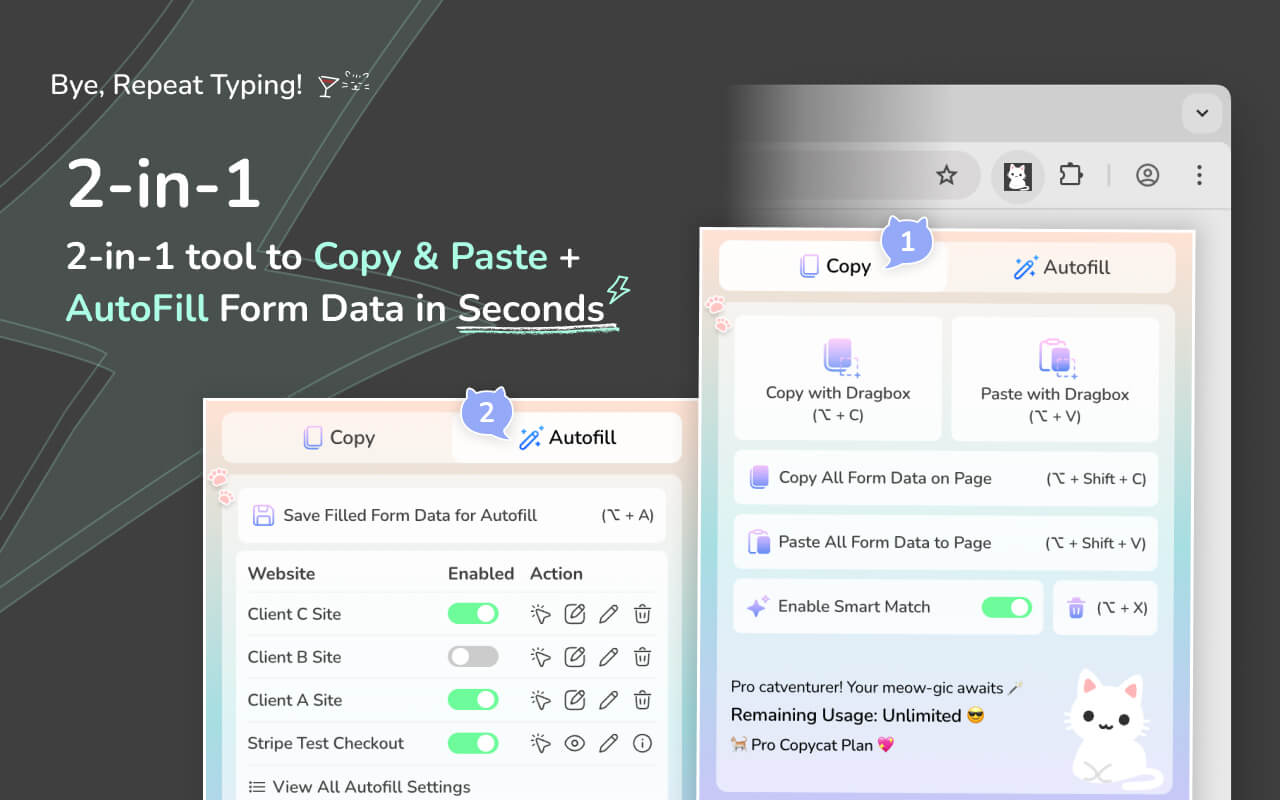
MultiField CopyCat is a form-filling extension designed to handle real-world forms — including copying and autofilling form data across different pages or websites, something traditional autofill struggles with. It's a perfect tool for occasional form data transfer & frequent repetitive form entry.
Key features:
- Copy & paste multiple form fields at once using a drag selection
- Copy & paste all form data across pages instantly
- Smart match fields based on field labels
- Save custom form data in 1 button click for instant autofill on page load
- Toggle autofill on page load easily, and ability to apply autofill via manual trigger as needed
- Works with complex inputs (dropdowns, dynamic fields, etc.)
- Supports cross-page and cross-site workflows
- Customizable keyboard shortcuts to speed up form-filling process
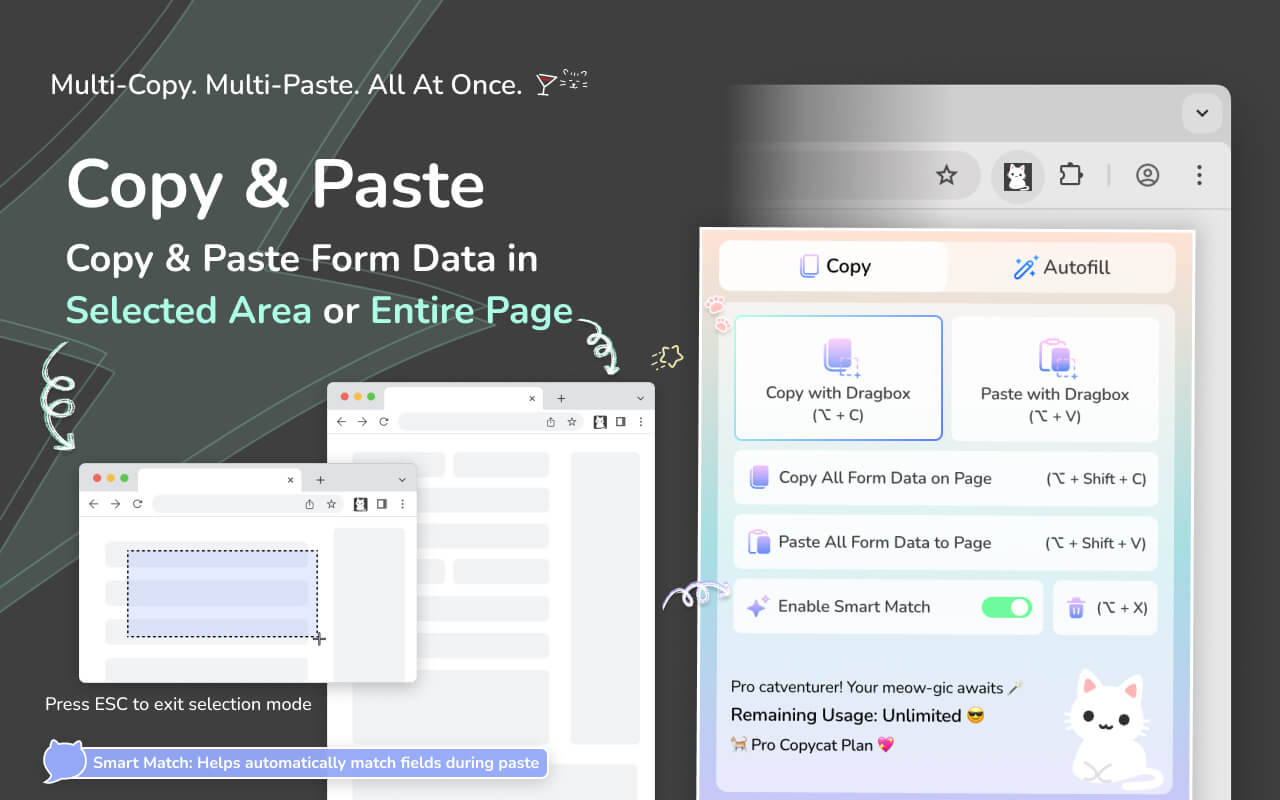
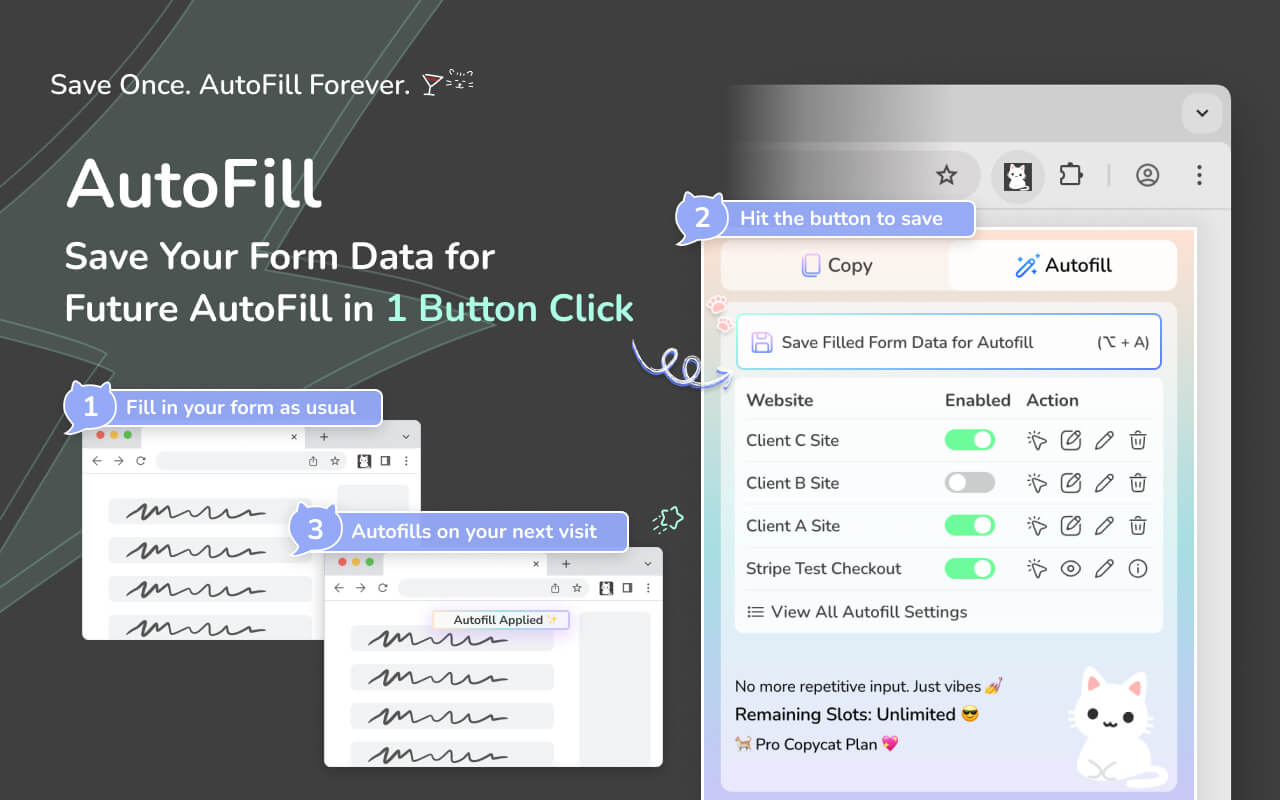
These features makes it especially useful for QA form testing workflows where speed and consistency matter. It allows QA teams to quickly repeat test cases with reusable form data via bulk-copy or instant autofill, validating forms across staging and production more efficiency. It also reduces manual entry errors, and saves time from manually typing test data field by field.
Check out how it works in the demo-video below:
(Demo Video on MultiField CopyCat in 1 minute)
👉 Try MultiField CopyCat on the Chrome Web Store
2. Fake Filler
Best for: Autofilling dummy data into forms for testing
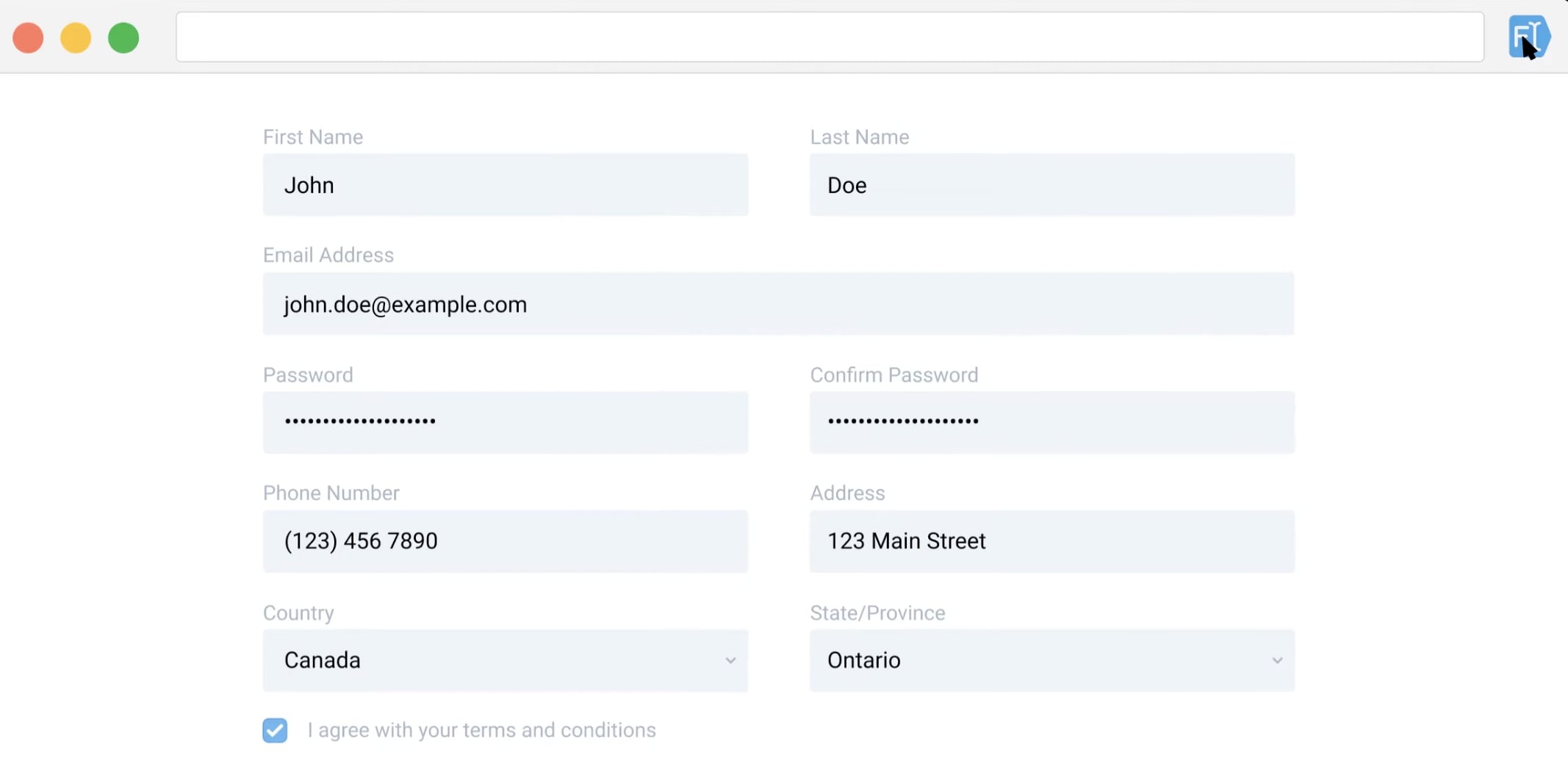
Fake Filler is an autofill extension that auto-generates dummy data for form autofill. It's handy for testing if the testing form doesn't require custom set of data.
Pros:
- Generates random data for form-filling easily
- Autofills instantly on 1 extension icon click
Cons:
- Cannot use custom set of test data
3. Browser Autofill (Chrome / Built-in)
Best for: Simple forms with basic input fields
Most browsers offer built-in autofill for common fields like name, email, and address.
Limitations:
- Often fails on modern or dynamic forms
- Limited support for dropdowns and custom inputs
- Hard to reuse structured test datasets
4. Test Data Scripts (Custom Scripts / Dev Tools)
Best for: Advanced users who automate test data injection
Some QA testers use scripts or browser console commands to fill forms automatically.
Pros:
- Fully customizable
- Can integrate into test workflows
Cons:
- Requires technical setup
- Not practical for quick manual testing
- Breaks easily with UI changes
5. Password Managers
Best for: Login forms and basic credentials
Tools like password managers can autofill login fields.
Limitations:
- Not designed for general form testing
- Limited to specific field types
📊 Methods Comparison Table
| Method | Speed | Reliability | Setup Time | Works on Complex Forms |
|---|---|---|---|---|
| Manual typing or copy-paste | Low | High | None | Yes |
| Browser built-in autofill | Medium | High | None | No |
| Scripts | High | High | Long | Yes |
| Dedicated Extensions | High | High | Short | Yes |
If you frequently test forms, reuse the same data, and switch between multiple environments, using a dedicated tool with a simple setup can save significant time.
🚀 Final Thoughts
Form filling might seem like a small part of QA testing — but over time, it adds up.
Using the right tools can help you:
- Reduce repetitive work
- Speed up testing cycles
- Focus more on validation instead of data entry
If you regularly work with forms, it’s worth trying a workflow that lets you copy, save, and reuse form data efficiently.
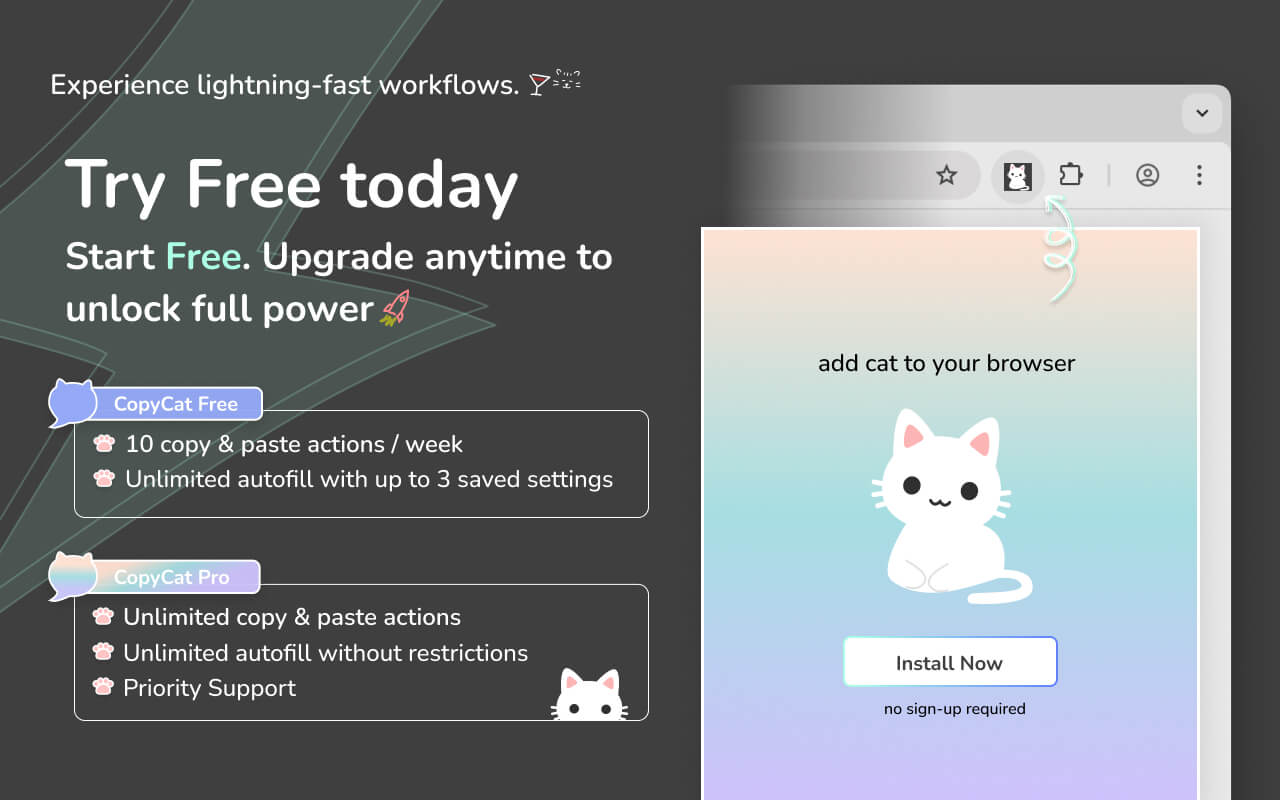
👉 Try MultiField CopyCat for free and see how much faster you can test forms with reusable data and instant autofill. Upgrade only if you need to save more autofill settings or manage multiple form data sets.
MultiField CopyCat is continuously improving. If you come across any form fields that aren’t fully supported, feel free to share your feedback — it helps us improve the experience for everyone.


