
Save Form in One Click
Save filled form data for future autofill with one click or shortcut. Reuse the form data whenever you need it.
 Features > Autofill Forms
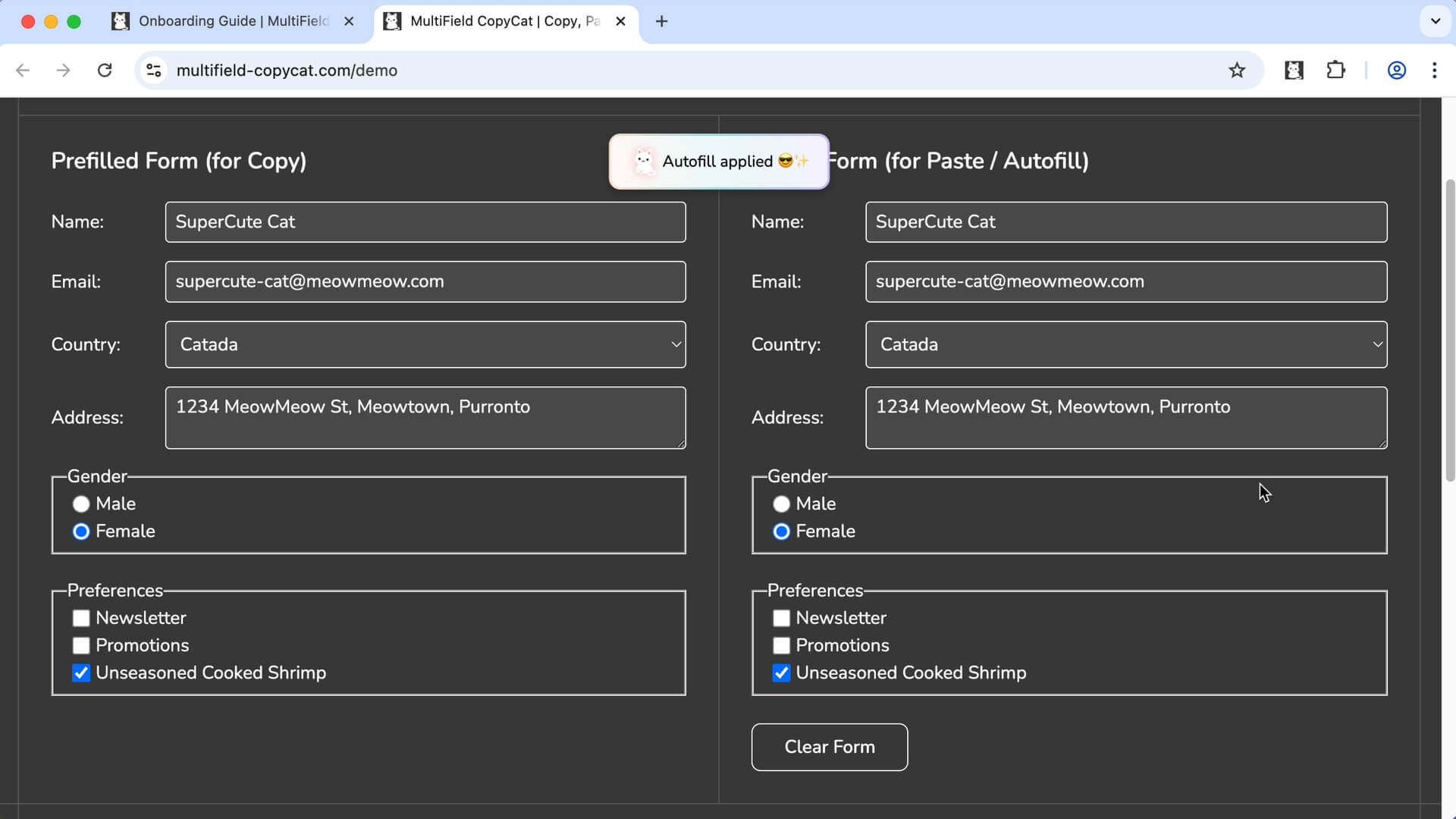
Save filled form data once and autofill it whenever you need it. MultiField CopyCat helps you reuse form data, autofill web forms on page load or by manual trigger, reducing repetitive typing across websites.
🚀 Join 3000+ productive professionals
Used by professionals from




 Key Features


Save filled form data for future autofill with one click or shortcut. Reuse the form data whenever you need it.
Automatically fill matching fields when a page loads using your saved Autofill Settings. Easily enable or disable autofill on page load with the toggle switch from extension popup.
Apply saved form data whenever you need it — on the same page or other compatible forms.
Keep different sets of form data under one autofill setting, and quickly switch between them.
Use built-in keyboard shortcuts, or customize your own to save and autofill forms even faster. Assign autofill settings to preset autofill shortcuts to fill forms without opening the extension.
Edit saved fields, values, and matching rules, and other settings whenever your needs change. Custom autofill delay with Pro to apply autofill at right time on slow or dynamic sites.
 Built for Web Forms


MultiField CopyCat works with standard form fields and popular custom form components, helping you copy, paste, and autofill form data across different websites.
Work with names, emails, addresses, phone numbers, and other text inputs.
Handle messages, notes, descriptions, and other longer text.
Save and restore selections from dropdown menus.
Save and restore selections from groups of options.
Save and restore individual or grouped selections.
Save and restore on/off selections on supported controls.
Compatibility may vary for highly customized or non-standard form controls.
 Less Typing, More LivingLess Typing, More LivingLess Typing, More LivingLess Typing, More LivingLess Typing, More LivingLess Typing, More Living
 Simple Pricing. No Surprises

Try MultiField CopyCat for free with essential features.
Upgrade to Pro to unlock unlimited form copy, paste, and autofill.
(All prices in USD)
FREE
Essential extension to save time and reduce frustration.
 Unlimited autofill with up to 3 saved settingsSave 1 form set per autofill settingEdit or delete saved autofill settingsCustomizable keyboard shortcutsBasic Multi-field copy & paste form data
Unlock full power to speed through forms effortlessly.
Includes everything in Basic, plus:Unlimited autofill without restrictionsSmart Match custom field matching across websitesSave multiple form sets per autofill settingSwitch between, edit, or delete multiple autofill form setsCustom autofill delay for slow-loading sitesAdvanced multi-field copy & paste form dataStandard SupportCancel anytime. No hidden fees
Less Typing, More LivingLess Typing, More LivingLess Typing, More LivingLess Typing, More LivingLess Typing, More LivingLess Typing, More Living Q&A
Q&A
Can’t find what you are looking for? Please contact us.
Fill out a form, then click Save Form for Autofill under the Autofill tab or use its shortcut to save the form data for future autofill. Next time you visit the same page, the extension autofills the form with saved data on page load. You can reuse the form data by applying the form fill manually from the extension popup, or add more URL pattern to expand autofill on more matching pages.
You can also create reusable Autofill Settings manually from the Options page.
Yes. You can create an Autofill Setting without a URL pattern and use it as a reusable profile across compatible forms. Apply it manually whenever you need it, and Smart Match can help match your saved data to similar fields. If you later add URL patterns in the setting, the autofill will apply on matching pages on page load.
Yes. Autofill Settings saved using Save Form for Autofill can autofill the matching page when it loads. For manually created Autofill Settings, you can add URL patterns to specify which pages should be autofilled automatically. Pro plan also includes a custom delay for forms that take longer to appear, so that autofill applies at the right time.
Yes. Pro plan lets you save multiple form sets under one Autofill Setting and switch between them. Free plan supports one form set per setting.
Yes. You can manually apply a saved Autofill Setting to compatible forms on different websites. Smart Match can help match saved values to similar fields when the forms differ. You can also add multiple URL patterns if you want the setting to autofill automatically on matching pages.
MultiField CopyCat works on most websites that use standard form fields. Some special input types, such as file uploads, fields with IDs that change on page load, or heavily customized elements may not be supported. We recommend trying the free version before upgrading to Pro — or share your case with us! Your feedback helps us improve coverage and prioritize new features.
Yes — all your copied and autofill data is stored locally in your browser and never leaves your computer. For your privacy, we recommend not saving sensitive information, especially if you share your device or it’s ever lost.


